Get In Touch


& visual
Designer


Publix
Building publix.com on the web and the Publix mobile app.

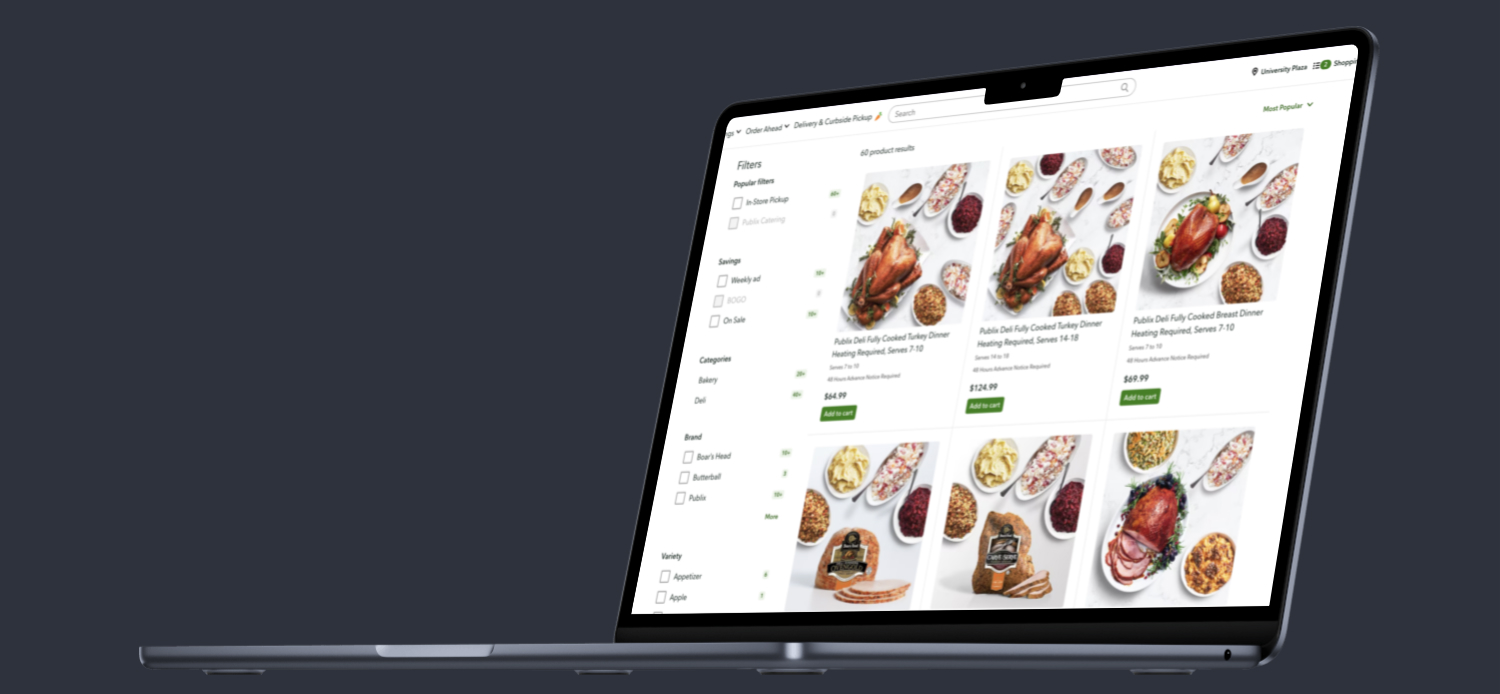
Search has never been better on Publix.com
I was brought on to help tackle search and browse.
Publix Super Markets
The largest employee-owned company in America and a massive grocery presence in the South East (and growing their reach annually).
I have been a Senior Product Designer
for about a year and a half on a fairly small UX team. I joined as #7 and we've grown to 12 designers as of this year. I was involved in the hiring process for multiple designers from junior to intermediate to senior. I was also the Visual Lead on our team and that meant elevating the UI and overall visual experience for users.
As soon as I started
I contributed to multiple conceptual features and projects.
I created a concept for
a new Pub Sub app that highlights rewards (Publix apparel, NFTs, event admission and more) and is tailored to a much younger demographic than the brand's current.
*make sure you hit "restart" to see the whole prototype and go full screen to get the best experience.
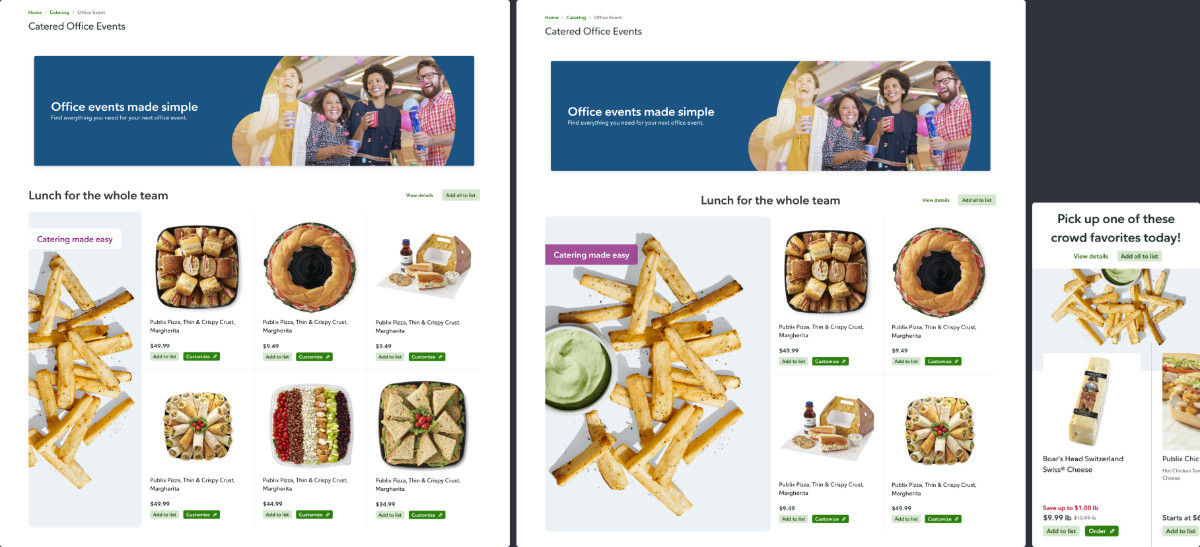
I also designed new components
within the Publix Design Language / Design System and enhanced a few as well:
Editorial Collection
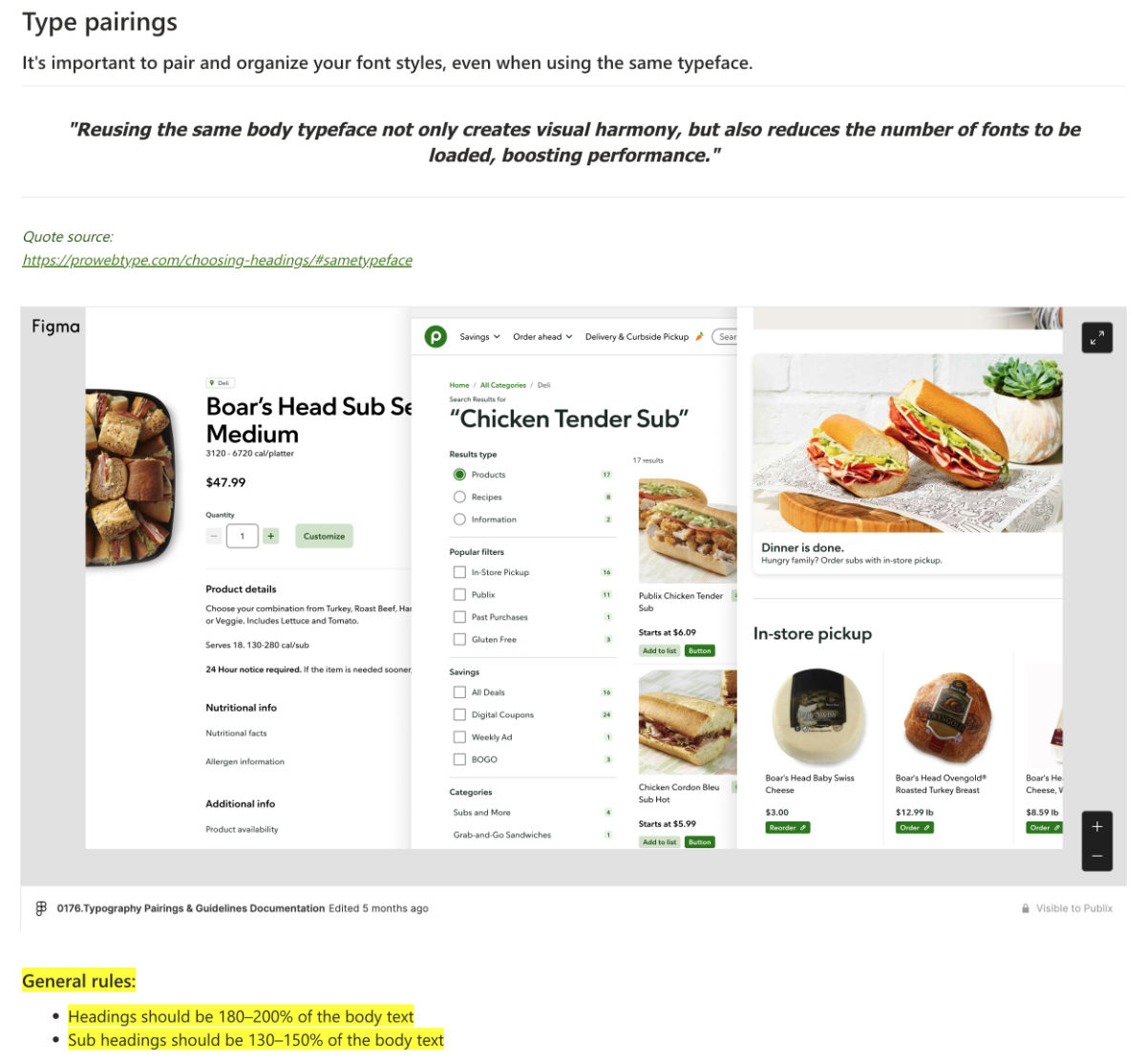
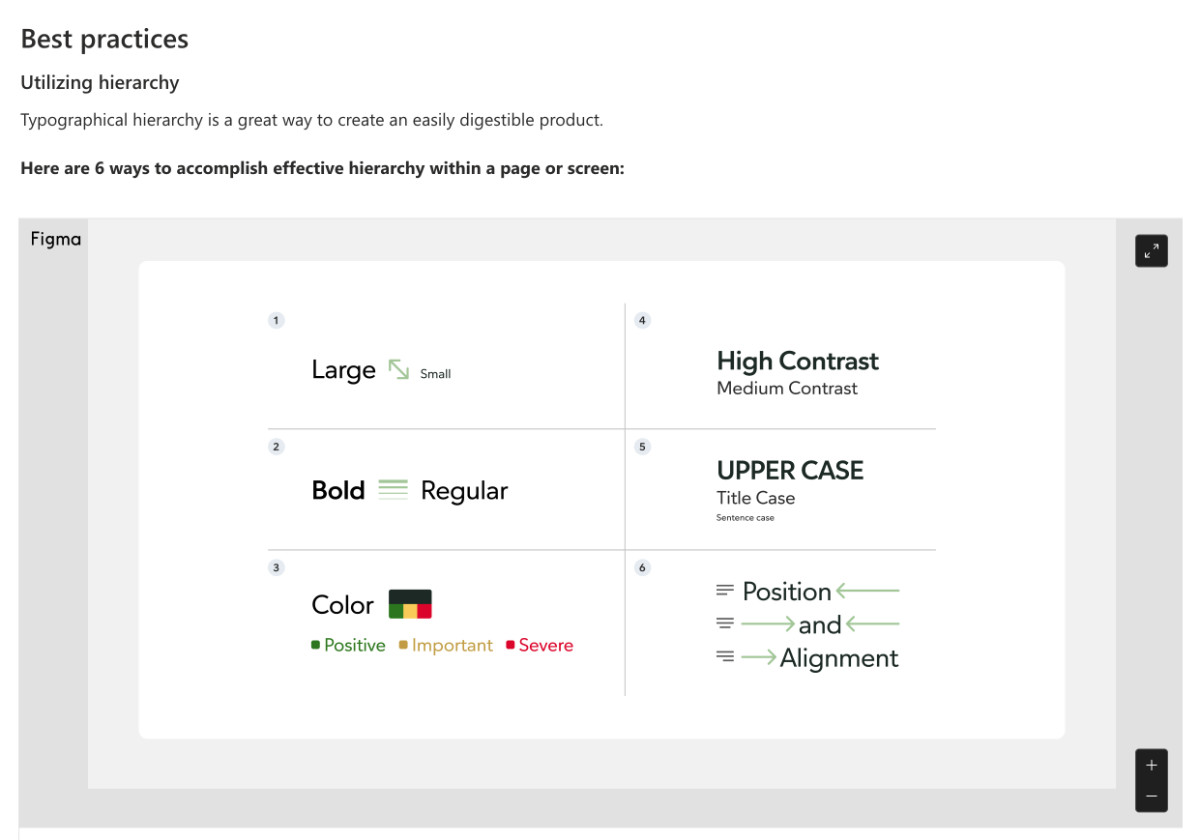
Documentation was a normal practice
and I created multiple usage guidelines, developer-handoff docs, and foundational docs.
Improving search all along the way
That was the overarching goal and I did just that with the help of the team I was a part of.
This took many forms. Some of which are:
Shopping Modes
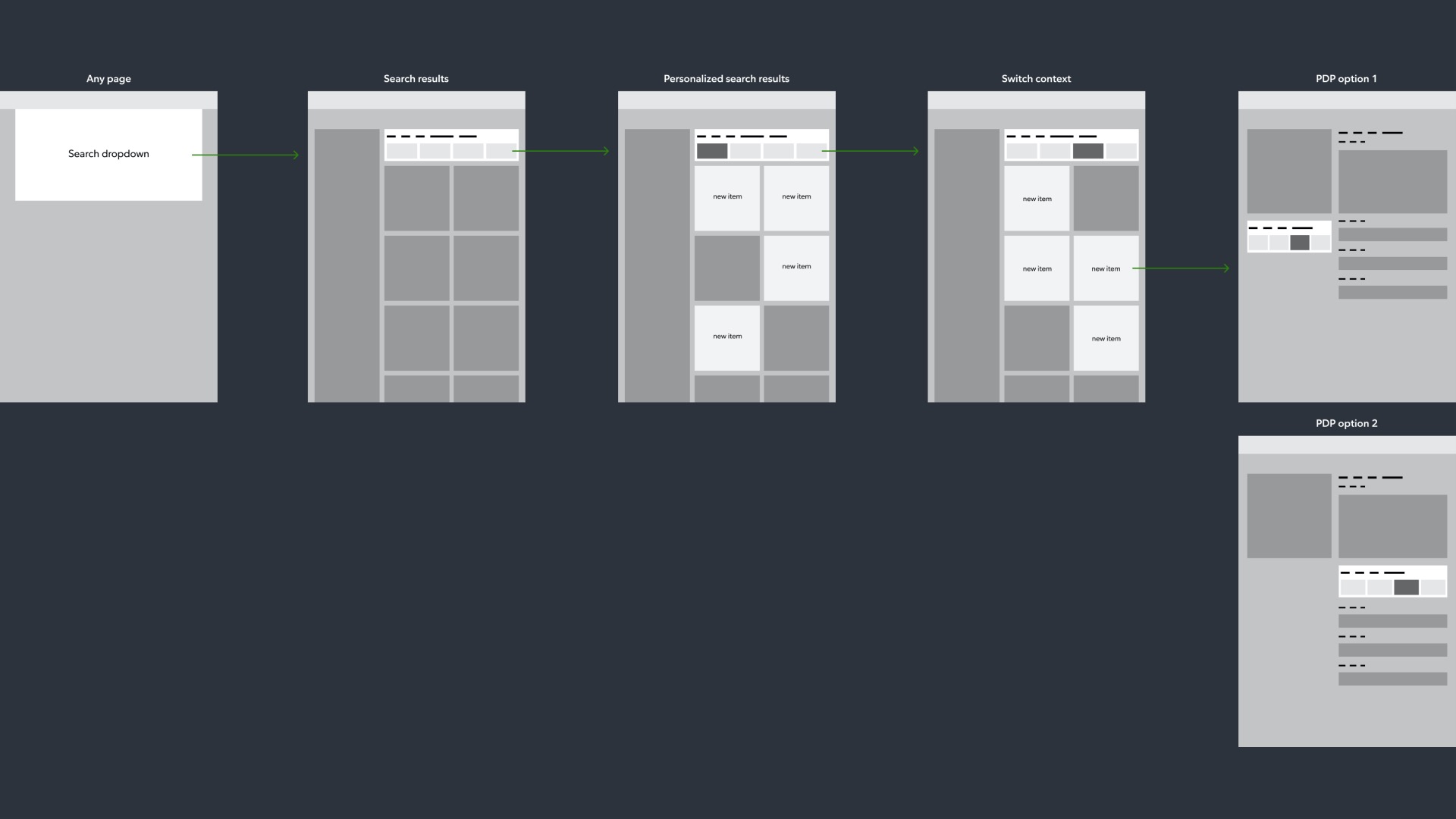
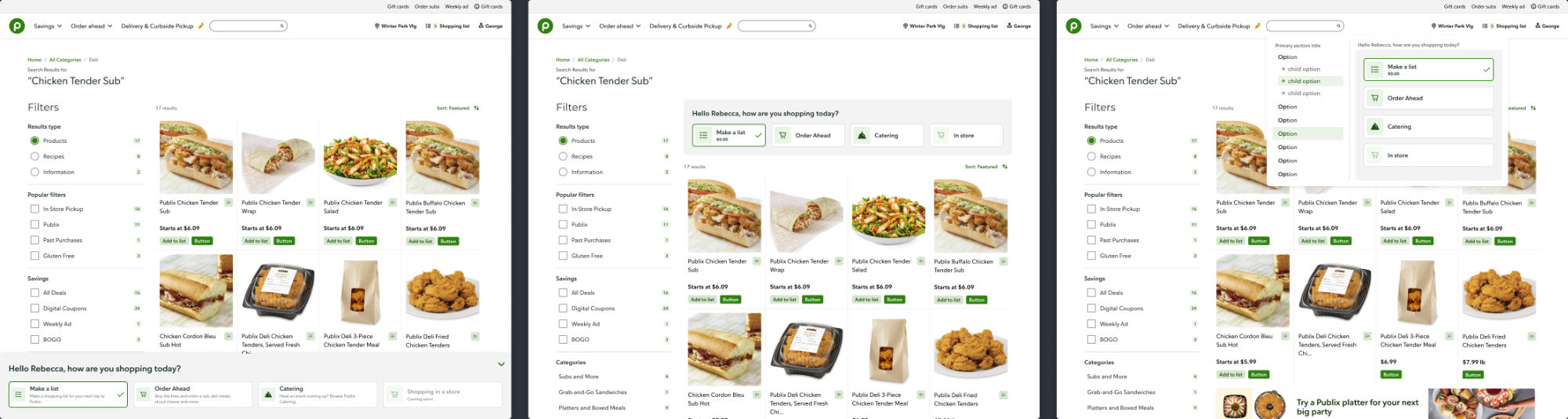
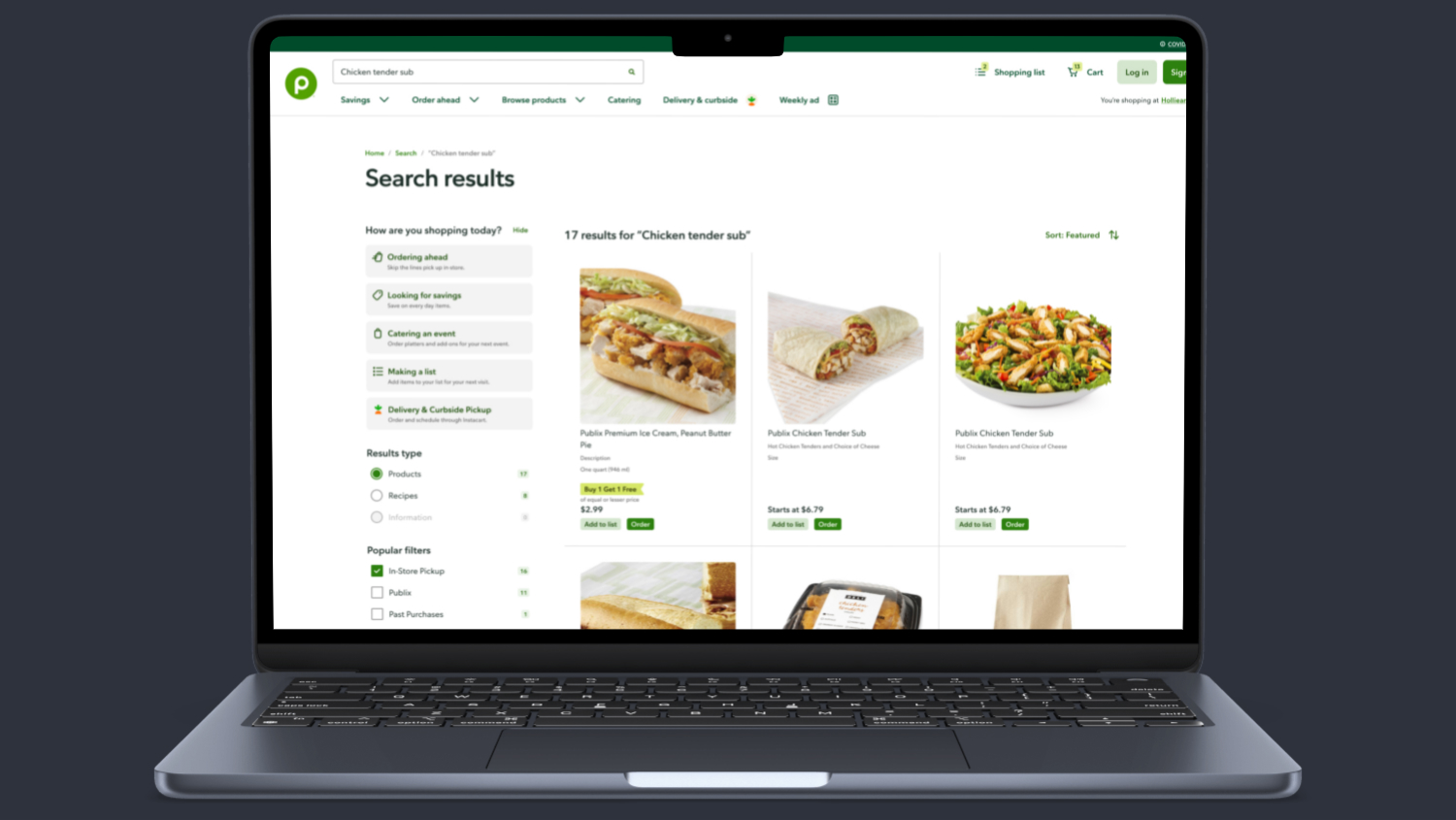
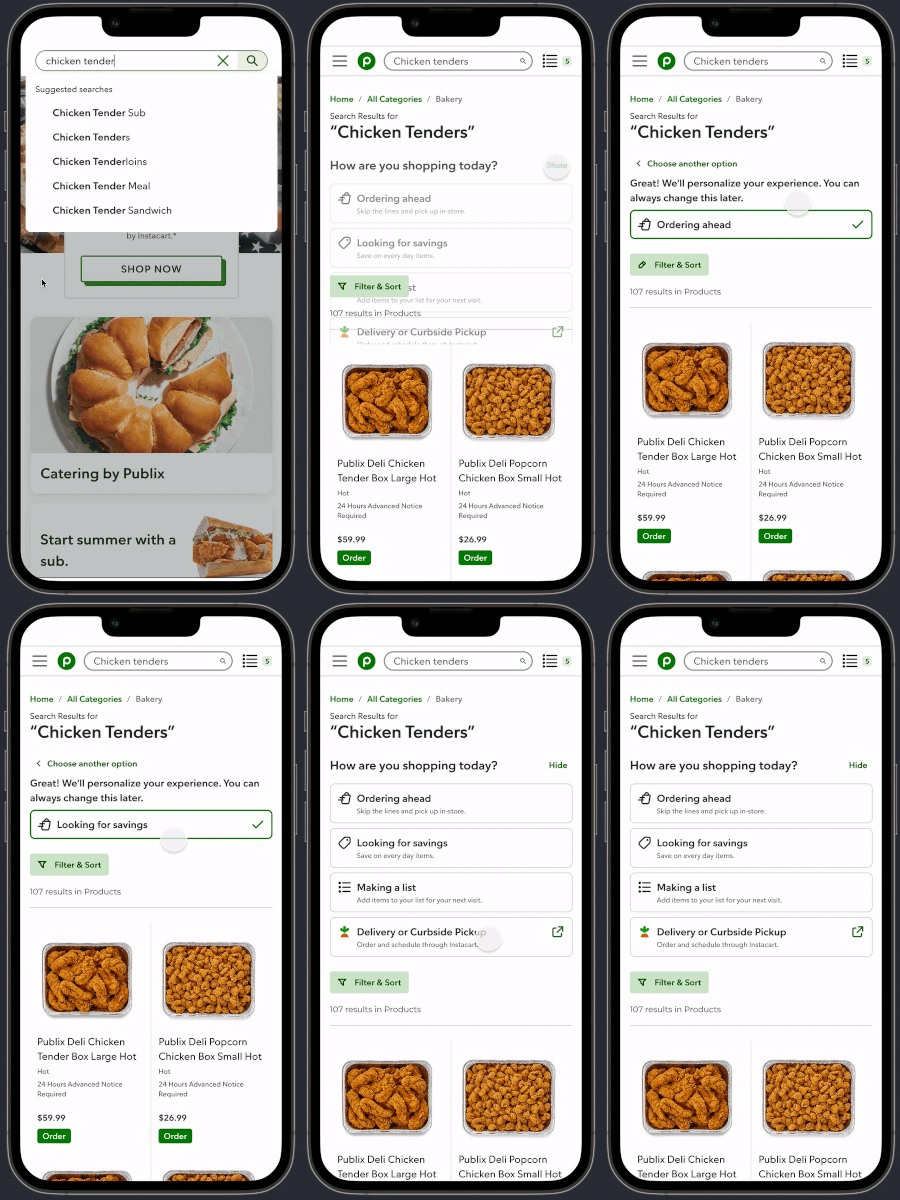
Our current "prediction tech" wasn't up to par to predict how a customer was shopping and customers were finding it hard to find "order ahead" products, so I created the Shopping Modes sidebar selectors to allow users to decide how they wanted to shop. We piloted it within search results, but plan on expanding it to be a site wide feature in the future.
I started off with flow diagrams and wireframes to feel out the use cases. Here's one example of a direction:
A few concepts I made before nailing down a direction:
The end result (with some slight style differences from what went into production):
Mobile interaction example:
Finding coupons
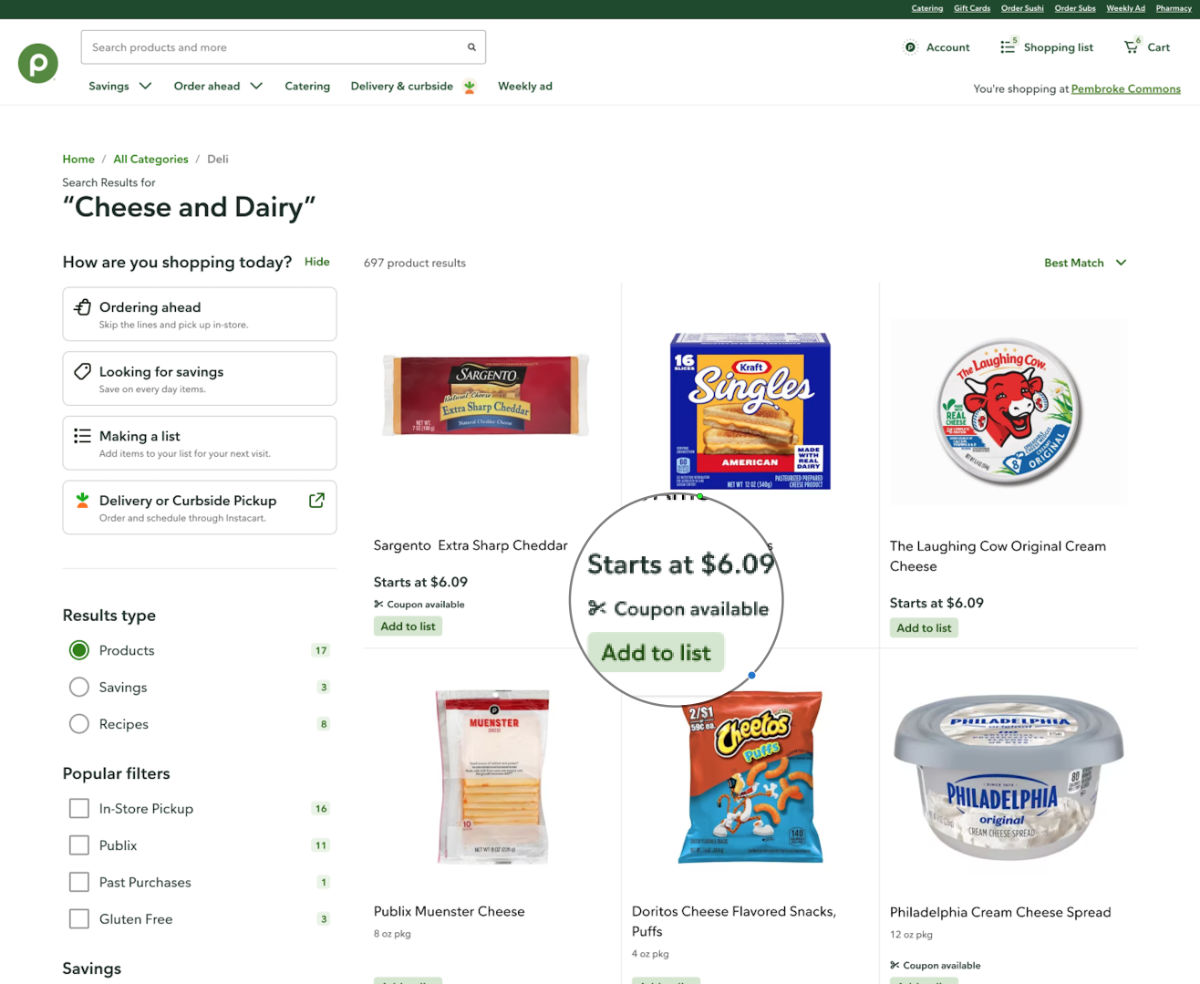
Previously the primary way to find coupons on the site was to visit the "savings" section in the main nav and catch a banner here or there on certain pages or filter within search results. Now we have a new coupon label that displays on product cards so they're easily accessible wherever products are displayed. This simple label gives the user a quick way to see if a coupon is available (or not) throughout the site.
Aisle Location
Here's a fun one. If you're viewing products on your mobile device and are in-store (or searching before you go) and want to know exactly what aisle and section a product is in, we now display a location on each product card.

Filters
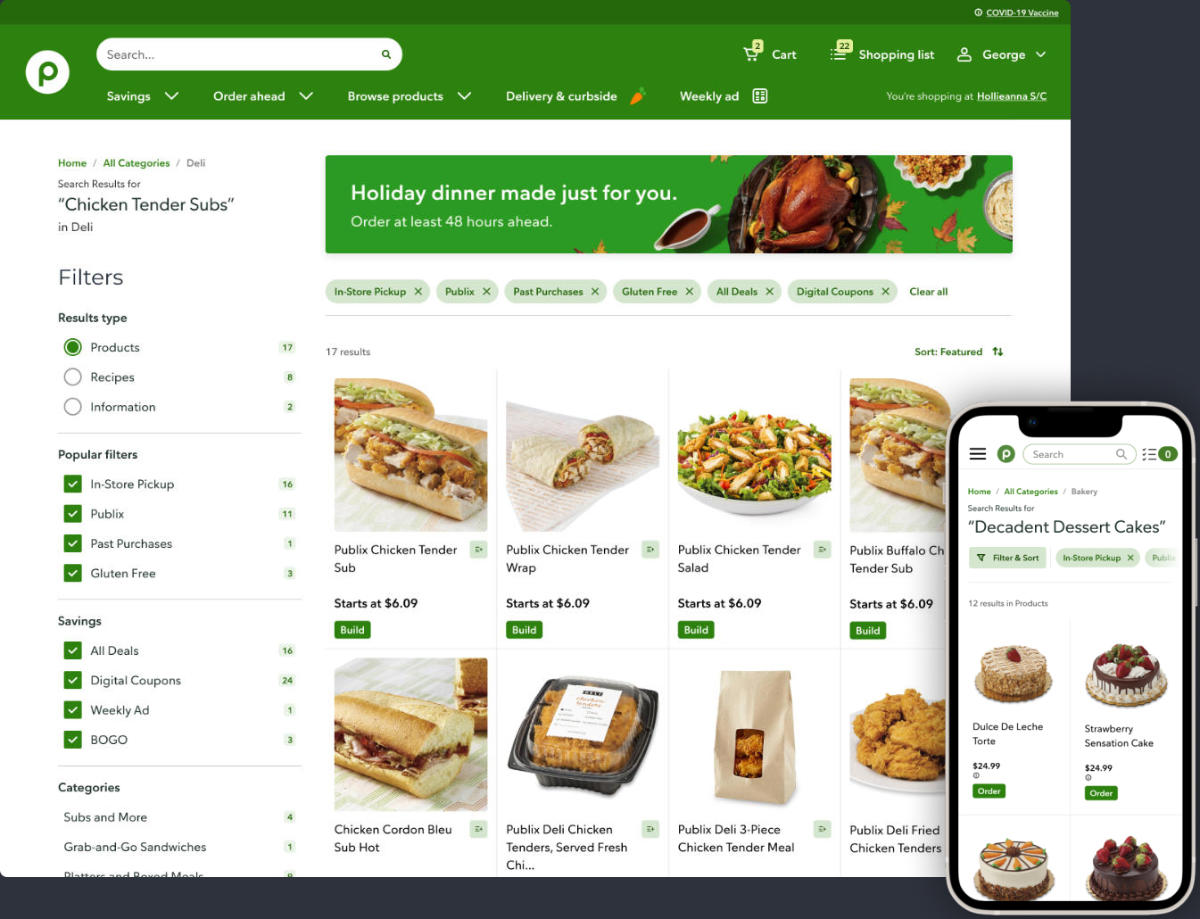
Sidebar filters are great on a desktop view when you're searching for a product, but if the page becomes long and the filter list is also long it can be difficult to know what you've filtered for; that's where filter chips come in and assist .
Carousels
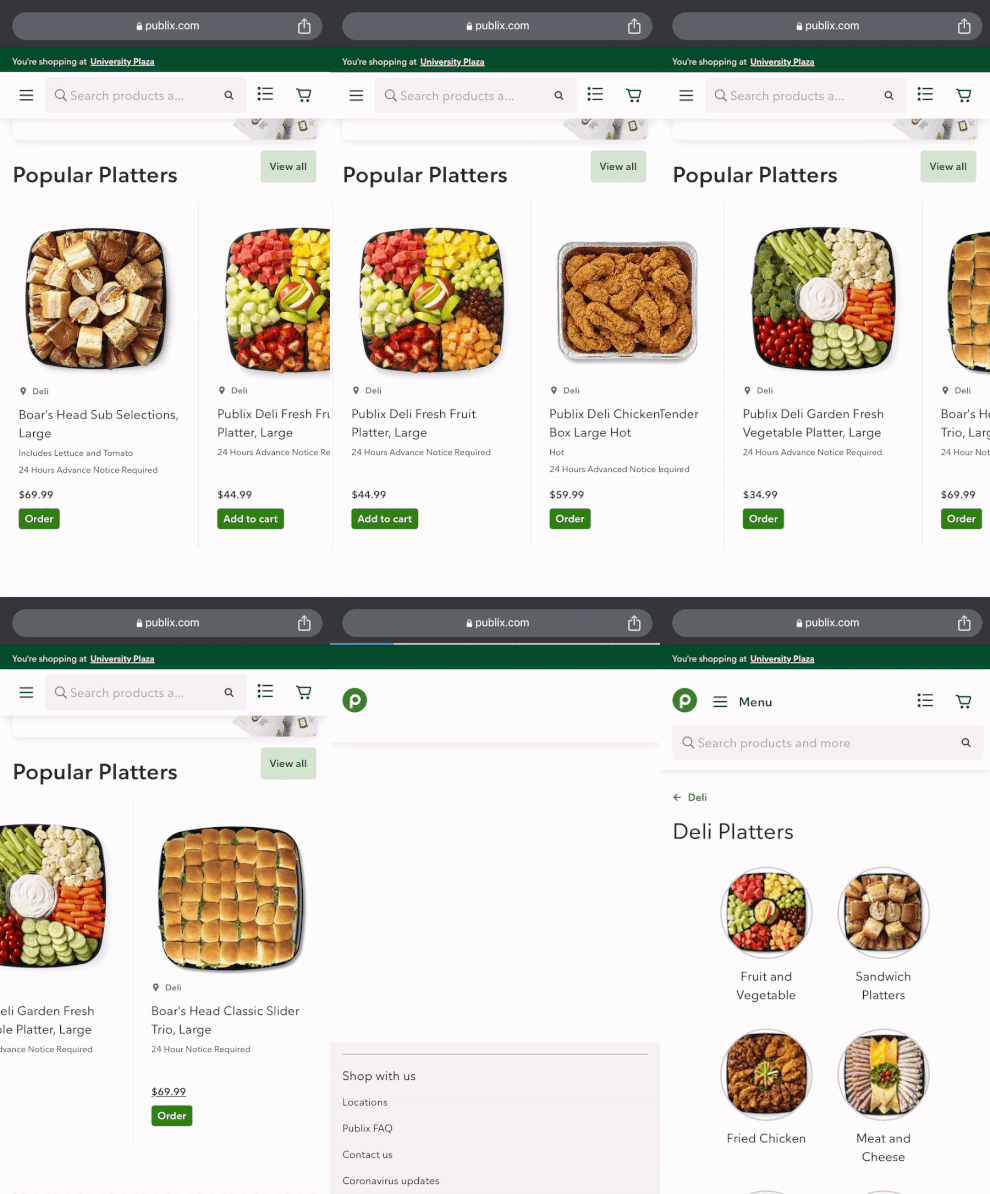
Content needs to be flexible and displayed in dynamic ways. The Publix product and recipe carousels needed a refresh to improve usability, especially at mobile breakpoints:
I also created concepts for (of which I can't disclose visually:
- Digital monetization in the form of sponsored ads and landing pages
- Event themed landing pages (i.e. Super Bowl, office party, birthday party)
More goodies:
- Internal data management tool
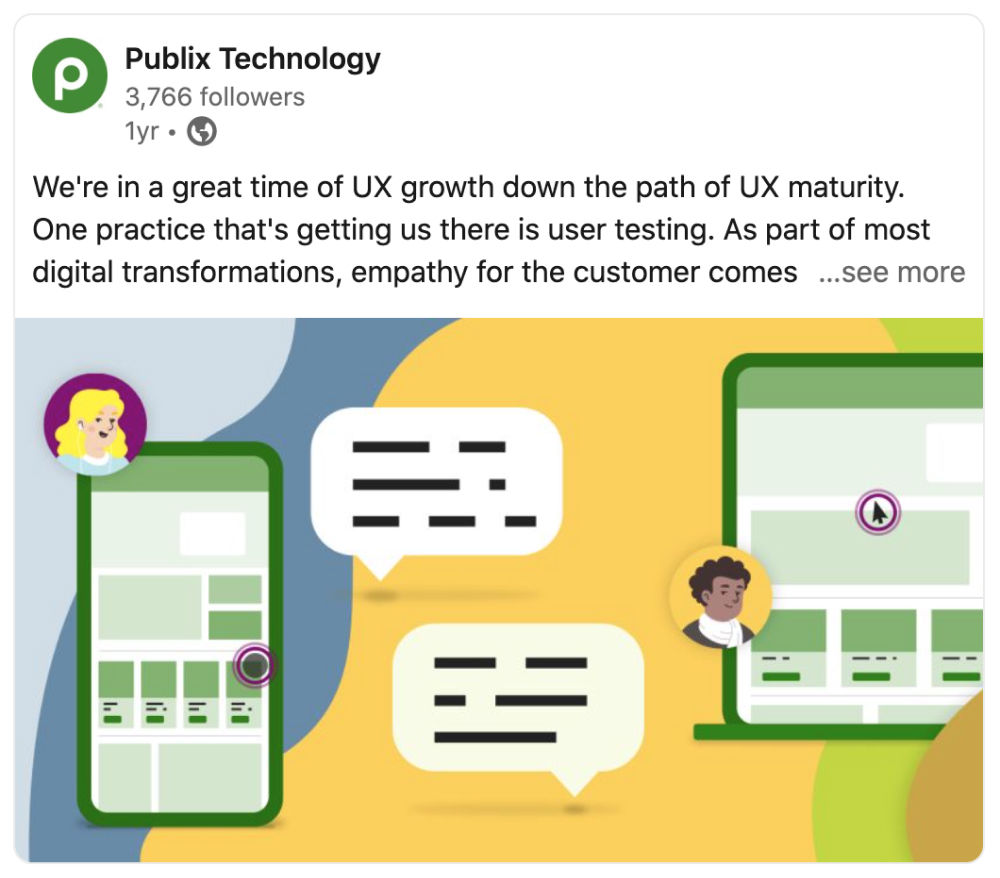
- Official Publix Tech LinkedIn Ads & post illustrations
- Internal logo
- Holiday photo editing
Thanks for viewing



Let’s Get in Touch